Access our complete list of sewing, quilting, embroidery, and ScanNCut machine manuals to help you set up and maintain your Brother machine.

If your fabric isn’t feeding through the machine, try these steps:
Check the feed dogs: If your machine has a drop feed feature, make sure the feed dogs are raised. If they’re lowered, the fabric won’t move.
Lower the presser foot: On mechanical machines, you need to lower the foot before sewing. Computerised machines usually give you a reminder.
Adjust the stitch length: If the stitch length is set too low, the fabric might not move properly. Try increasing it slightly.
Your machine might be in bobbin winding mode. Try sliding the bobbin winder shaft to the left - this should switch it back to sewing mode and get the needle moving again.
Try these steps:
Check the needle: Make sure it’s not bent. If it is, replace it with a new one.
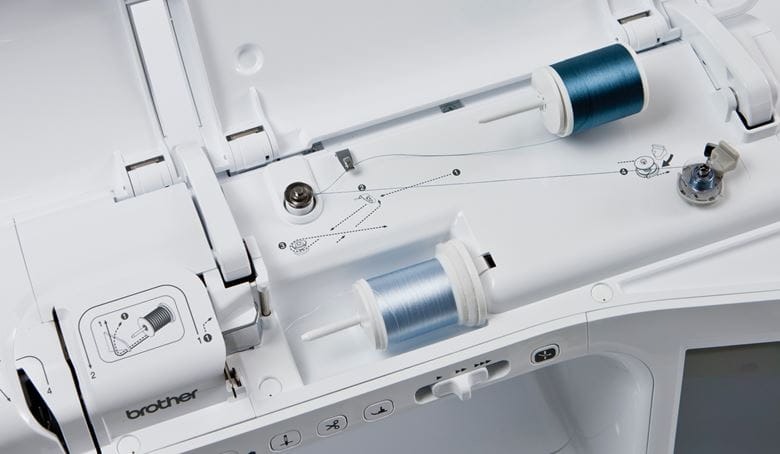
Re-thread the machine: Follow the threading instructions in your manual. You can also find guides online at the Brother Solutions Centre.
Use the right needle brand: Some needles, like Butterfly and Singer, may not work well with Brother machines. We recommend using Organ or Schmetz needles for best results.
Here are a few quick things to check:
Bobbin winder: Make sure the bobbin winder shaft isn’t pushed to the right. If it is, slide it to the left.
Threading: Check that your machine is threaded correctly. The line on the handwheel should be at the top before threading, and the presser foot should be lifted.
Bobbin direction: For top-loading machines, the thread should go around the bobbin in an anticlockwise direction.
Presser foot: On mechanical machines, make sure the foot is lowered before sewing. Computerised machines will usually remind you.
If you're unsure, refer to your instruction manual or visit the Brother Solutions Centre for help.
Here are a few quick things to check:
Bobbin winder: Make sure the bobbin winder shaft isn’t pushed to the right. If it is, slide it to the left.
Threading: Check that your machine is threaded correctly. The line on the handwheel should be at the top before threading, and the presser foot should be lifted.
Bobbin setup: For top-loading machines, the thread should go around the bobbin in an anti-clockwise direction.
Presser foot: On mechanical machines, make sure the foot is lowered before sewing. Computerised machines will usually remind you.
If you're unsure, check your instruction manual or visit the Brother Solutions Centre for help.
Try these tips to fix it:
Re-thread the top thread: Make sure the line on the handwheel is at the top before threading. This puts the thread take-up lever in the right spot.
Use good quality thread: Cheap or hand-sewing thread can cause breakage, poor stitching, or even damage your machine. For best results, use a smooth, branded thread made for sewing machines.
Test your thread: With the presser foot raised, pull the thread through the machine. It should move smoothly without feeling tight.
Try these steps to fix it:
Re-thread the top thread: Make sure the line on the handwheel is at the top before threading. This puts the thread take-up lever in the right spot.
Check the take-up lever:
If you miss this step, the thread can gather under the fabric.
Lift the presser foot before threading:
This opens the tension discs so the thread can go in properly.
Check the bobbin case: Make sure it’s in the correct position, following your manual.
Adjust the tension: If the top thread tension is too low, try setting it to 4.
Mechanical machines: Check that the buttonhole lever isn’t down. If it is, lift it up.
Electronic/computerised machines: Try turning the machine off and back on. This will reset the feed motor.
At Brother we’re always ‘at your side’ and will be with you every step of your sewing journey. Our support app is only a click away, so download today.
What you will find on the app: